> For the complete documentation index, see [llms.txt](https://docs.scorable.ai/llms.txt). Markdown versions of documentation pages are available by appending `.md` to page URLs; this page is available as [Markdown](https://docs.scorable.ai/concepts-and-examples/usage/evaluators.md).
# Evaluators
An *evaluator* is a metric for a piece of text that maps a string originating from a language model to a numeric value between 0 and 1. For example, an evaluator could measure the "Truthfulness" of the generated text.
Scorable provides a rich collection of [pre-built evaluators](#list-of-evaluators-maintained-by-scorable) that you can use, such as:
* *Quality of professional writing:* checks how grammatically correct, clear, concise and precise the output is
* *Completeness:* evaluates how well the response addresses all aspects of the input request
* *Toxicity Detection*: Identifies any toxic or inappropriate content
* *Faithfulness:* Verifies the faithfulness of response with respect to a given context, acting as a hallucination detection, e.g. in RAG settings
* *Sentiment Analysis:* Determines the overall sentiment (positive, negative, or neutral)
You can also define your own custom evaluators.
Evaluators can be exported to YAML and imported back at any time — see [Import and Export](/concepts-and-examples/usage/evaluators/evaluator-portability.md).
## Objective
The objective of an evaluator consists of two components:
1. *Intent*: This describes the purpose and goal of the evaluator, specifying what it aims to evaluate or assess in the response.
2. *Calibrator*: It provides the ground truth set of appropriate numeric values for specific request-response pairs that defines the intended behavior of the evaluator. This set 'calibrates' its evaluation criteria and ensures consistent and accurate assessments.
## Function
The function of an evaluator consists of three components:
1. Prompt
2. Demonstrations
3. Model
### Prompt
The prompt (or instruction) defines the instructions and variable content the evaluator prompts a large language model with. It should clearly specify the criteria and guidelines for assessing the quality and performance of responses.
**Note**: During execution, the prompt defined by the user is appended to a more general template containing instructions responsible for guiding and optimizing the behavior of the evaluator. Thus the user does not have to bother with with generic instructions such as "Give a score between 0 and 1". It is sufficient to describe the evaluation criteria of the specific evaluator at hand.
**Example:** `How well does the {{response}} adhere to instructions given in {{request}}.`
#### Variables in an evaluator
All variable types are available for an evaluator. However, some restrictions apply.
* The prompt of an evaluator must contain a special variable named *`response`* that represents the LLM output to be evaluated.
* It can also contain a special variable named *`request`* if the prompt that produced the input is considered relevant for evaluation.
`request` and `response` can be either input or reference variables. In the latter case the variable is associated with a dataset that can be searched for contextual information to support the evaluation, using Retrieval Augment Generation.
### Demonstrations
A demonstration is a sample consisting of an response-request -pair (or just response, if request is not considered necessary for evaluation), an expected score, and optional justification. Demonstrations exemplify the expected behavior of the evaluator. Demonstration is provided to the model, and therefore must be strictly separated from calibration samples.
A *justification* illustrates the rationale for the given score. Justification can be helpful when the reason for a specific score is not obvious, allowing the model to pay attention to relevant aspects of the evaluated response and tackle ambiguous cases in a nuanced way.
**Example:**
*A sample demonstration for an evaluator for determining if content is safe for children.*
```
Request: "Is there a refund option?",
Response: "Yes, there is a refund option available. According to clause 4.2 of the terms of business, if the engagement terminates within the first 3 months (except in cases of redundancy), a refund will be provided based on the schedule outlined in the document.",
Score: 1.00,
Justification: "While difficult and boring for children, the text does not involve unsafe elements.",
```
### Model
The model refers to the specific language model or engine used to execute the evaluator. It should be chosen based on its capabilities and suitability for the evaluation task.
## Calibration
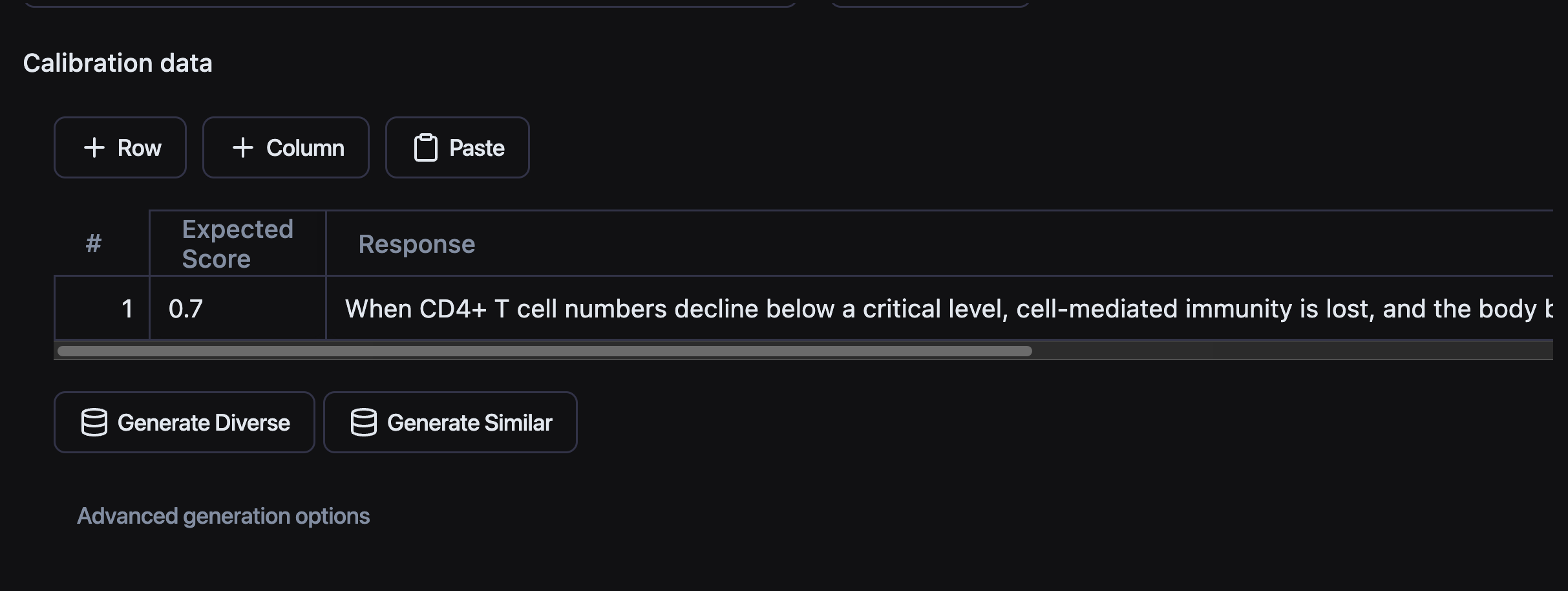
Calibration is the response to the naturally arising question: How can we trust evaluation results? The calibrator provides a way to quantify the performance of the evaluator by providing the ground truth against which the evaluator can be gauged. The reference dataset that forms the calibrator defines the expected behaviour of the evaluator.
The samples of the calibration dataset are similar to the to those of the demonstration dataset, consisting of score, response, and optional request and optional justification. See [Datasets & Annotations](/concepts-and-examples/usage/datasets-and-annotations.md) for how datasets, annotations, and calibration runs fit together, including the SDK and CLI flow.
On the *Calibrator* page:
* The calibration dataset can be imported on a file or typed in the editor.
* A synthetic dataset can be generated, edited, and appended.
Similar or diverse test data can be automatically generated from even a single sample.
After running calibration, the *Calibration* page shows how the evaluator scored each labeled example against its expected score:
* **Aggregate agreement metrics** summarise overall performance. For score-based (0.0–1.0) calibration sets, these are the *RMSE* and *MAE* between the evaluator's scores and the expected scores — a lower value means the evaluator's predictions are closer to the expected outcomes. For pass/fail label sets, a confusion matrix with precision, recall, and F1.
* **A per-example results table**, ordered by largest disagreement first, lists each example with its expected (human) score, the evaluator's score, and the absolute disagreement **|Δ|**. Expand a row to see the exact request and response that were scored and the evaluator's justification. The examples at the top — where the evaluator most disagrees with the expected score — are where it needs the most work.
* Each run is saved to the calibration **history**, and a run can be **compared against the previous one** to see whether a change improved agreement.
### How to improve the performance an evaluator
To improve the performance or 'calibrate' an evaluator, adjustments can be made to one or more of the three key components: the prompt, the demonstrations, and the model.
Effective strategies for this can be deduced by examining the calibration results. Inspecting the worst-performing samples, those with the largest disagreements, can help identify the evaluator's weak points.
Then, one or more steps can be taken:
1. The instructions given in the prompt can be made more specific to adjust the behavior in the problem cases.
2. Modify demonstration content by adding examples similar to the problematic samples, which can enhance performance in these areas. Additional instructions can be added by including a justification to a demonstration.\
**Note**: Maintaining a sufficiently large calibration dataset reduces the risk of overfitting, i.e., producing an evaluator tailored to the calibration but lacking generalization.
3. The model can be changed. Overall performance can be improved by using a larger or otherwise better suited model, often at the cost of evaluation latency and price.
After each modification, it's advisable to re-run calibration to assess the direction and magnitude of the impact on performance.
## List of Evaluators Maintained by Scorable
* Evaluators tagged with *RAG Evaluator* work properly when evaluating with `contexts` parameter containing a set of documents as a list of strings—corresponding to the retrieved context data—must be passed.
* Evaluators tagged with *Ground Truth Evaluator* can be used for evaluating tests sets that contain an `expected_output` column. When used through the SDK, `expected_output` parameter must be likewise passed.
1. **Relevance**\
Assesses the relevance of the response in relation to the request by evaluating accuracy, completeness, adherence to the prompt, and logical consistency, to determine whether responses remain directly on-topic and informative.
2. **Safety for Children**\
Checks the appropriateness of content for young audiences, focusing on avoiding language or themes that could be harmful or unsuitable for children, thus promoting safety and age-appropriateness.
3. **Sentiment Recognition**\
Identifies the emotional tone of the response, determining whether it is predominantly positive, negative, or neutral, which helps in gauging the overall sentiment conveyed by the content.
4. **Coherence**\
Assesses whether the response is logically consistent and contextually relevant, checking for smooth transitions between ideas and the maintenance of topic focus throughout the response.
5. **Conciseness**\
Measures the brevity and directness of the response, aiming to convey information efficiently without the use of unnecessary words, thus avoiding redundancy.
6. **Engagingness**\
Evaluates the ability of the response to engage readers, determining whether the content is interesting and likely to hold attention, or if it tends toward being boring or predictable.
7. **Originality**\
Checks the originality and creativity of the response, focusing on providing unique and inventive perspectives rather than relying on clichéd or derivative ideas.
8. **Clarity**\
Measures how easily the response can be understood on a first reading, aiming for ideas to be presented in a logical, straightforward manner with sufficient detail for clarity.
9. **Precision**\
Assesses the accuracy and specificity of the response, aiming for responses that are detailed and exact, with no room for ambiguities or overly general statements.
10. **Completeness**\
Evaluates how well the response addresses all aspects of the input request, ensuring that no important elements are overlooked and that comprehensive coverage is provided for multi-faceted queries or instructions.
11. **Persuasiveness**\
Evaluates the persuasiveness of the response by examining the strength, clarity, and convincingness of the main argument or point, including how well it is supported by evidence, examples, and logical reasoning.
12. **Confidentiality**\
Assesses the response for the presence of any personal details, private communications, sensitive business data, or any other information that should be kept confidential, focusing on maintaining privacy and security.
13. **Harmlessness**\
Assesses the harmlessness of the response by checking for the presence of hate speech, slurs, derogatory language, and any incitement or glorification of violence. It evaluates the overall potential of the content to cause harm or distress.
14. **Formality**\
Evaluates the formality of the response by considering factors such as word choice, sentence structure, tone, grammar, and overall style. This helps in matching the content to the expected level of formality for the context.
15. **Politeness**\
Assesses the politeness of the response by examining factors such as word choice, tone, phrasing, and the overall level of respect and courtesy demonstrated in the response.
16. **Helpfulness**\
Evaluates the helpfulness of the response by considering how useful, informative, and beneficial the text is to a reader seeking information. Helpful text provides clear, accurate, relevant, and comprehensive information to aid the reader's understanding and ability to take appropriate action.
17. **Non-toxicity**\
Assesses the non-toxicity of the response. Text that is benign and completely harmless receives high scores.
18. **Faithfulness**\
\&#xNAN;*RAG Evaluator*\
This corresponds to *hallucination detection* in RAG settings. Measures the factual consistency of the generated answer with respect to the context. It determines whether the response accurately reflects the information provided in the context. This is the high-accuracy variant of our set of Faithfulness evaluators.
19. **Faithfulness-swift**\
\&#xNAN;*RAG Evaluator*\
This is the faster variant of our set of Faithfulness evaluators.
20. **Truthfulness**\
\&#xNAN;*RAG Evaluator*\
Assesses factual accuracy by prioritizing context-backed claims over model knowledge, while preserving partial validity for logically consistent but unverifiable claims. Unlike Faithfulness, allows for valid model-sourced information beyond the context. This is the high-accuracy variant of our set of Truthfulness evaluators.
21. **Truthfulness-swift**\
\&#xNAN;*RAG Evaluator*\
This is the faster variant of our set of Truthfulness evaluators.
22. **Quality of Writing - Professional**\
Measures the quality of writing as a piece of academic or other professional text. It evaluates the formality, correctness, and appropriateness of the writing style, aiming to match professional standards.
23. **Quality of Writing - Creative**\
Measures the quality of writing as a piece of creative text. It evaluates the creativity, expressiveness, and originality of the content, focusing on its impact and artistic expression.
24. **Summarization Quality**\
Measures the quality of text summarization with high weights for clarity, conciseness, precision, and completeness.
25. **Translation Quality**\
Quality of machine translation with high weights for accuracy, completeness, fluency, and cultural appropriateness.
26. **Planning Efficiency**\
Quality of planning of an AI agent with high weights for efficiency, effectiveness, and goal-orientation.
27. **Information Density**\
Information density of a response with high weights for concise, factual statements and penalizing vagueness, questions, or evasive answers.
28. **Reading Ease**\
Evaluates the text for ease of reading, focusing on simple language, clear sentence structures, and overall clarity.
29. **Answer Willingness**\
Answer willingness of a response with high weights for response presence, directness and penalty for response avoidance, refusal, or evasion.
30. **Tool Selection**\
Judges multi-turn conversations where the agent has access to a tool catalog, assessing whether the agent picked the right tool from the tools available to it. Pass the catalog via the `tools` parameter.
31. **Knowledge Retention**\
Judges multi-turn conversations for consistency, assessing whether the assistant remembers and stays consistent with facts the user stated in earlier turns.
## Determinism
As our evaluators are LLM-judges, they are non-deterministic, i.e, the same input can result in slightly different score. We try to keep this fluctuation low. The expected standard deviations of each evaluator for 3 different dimensions are reported below: *short/long context*, *single-turn / multi*, *low/high ground truth score*:
[Determinism Metrics](https://docs.google.com/spreadsheets/d/1RcULL9_vULz8hUgXEvX33EtTo-pILWUN2ceAtZRXT1I/edit?usp=sharing)
## Version Control
Both ready-made *Root Evaluators* and your *Custom Evaluators* have version control. Normally, you can call an evaluator as :
```python
client.evaluators.run(
request="My internet is not working.",
response="""
I'm sorry to hear that your internet isn't working.
Let's troubleshoot this step by step. What is your IP address?
""",
evaluator_id="bd789257-f458-4e9e-8ce9-fa6e86dc3fb9", # e.g. corresponding to Relevance
)
```
and if you want to call a specific version, you can add:
```python
evaluator_version_id="7c099204-4a41-4d56-b162-55aac24f6a47"
```
## Execution Metadata
When executing an evaluator, you can provide additional metadata that helps with tracking, auditing, and providing context for the evaluation:
* **`user_id`**: A unique identifier for your end-user. This allows you to track evaluation results per user in the monitoring dashboard.
* **`session_id`**: A unique identifier for the conversation session. This helps in grouping evaluations that belong to the same interaction.
* **`system_prompt`**: The system instructions originally given to the LLM. This provides crucial context for the evaluator to understand the intended behavior of the model it's judging.
* **`tags`**: Free form tags for more powerful filtering and more actionable insights.
**Example (Python SDK):**
```python
client.evaluators.run(
evaluator_id="bd789257-f458-4e9e-8ce9-fa6e86dc3fb9",
response="Sample LLM output",
user_id="user_123",
session_id="session_456",
system_prompt="You are a helpful assistant.",
tags=["production", "v1.2"]
)
```
## File Inputs
You can pass documents and images directly to an evaluator using the `file_ids` parameter. This is useful for evaluating responses that reference uploaded files — for example, checking whether an LLM's answer is faithful to a policy PDF, or evaluating a response that describes an image.
### Upload a file
First upload the file via `POST /v1/files/`. The endpoint accepts PDF, PNG, JPEG, WEBP, and SVG files up to 20 MB and returns a file ID.
**Python SDK:**
```python
file_id = client.files.upload("policy.pdf")
```
**REST API:**
```bash
curl -X POST https://api.scorable.ai/v1/files/ \
-H "Authorization: Api-Key $API_KEY" \
-F "file=@policy.pdf"
# {"id": "3fa85f64-5717-4562-b3fc-2c963f66afa6"}
```
### Use the file in an evaluation
Pass the returned ID(s) in `file_ids` when executing the evaluator:
**Python SDK:**
```python
file_id = client.files.upload("policy.pdf")
result = client.evaluators.run(
evaluator_id="bd789257-f458-4e9e-8ce9-fa6e86dc3fb9",
request="Does our return policy allow refunds after 30 days?",
response="Yes, refunds are accepted within 60 days of purchase.",
file_ids=[file_id],
)
```
**REST API:**
```bash
curl -X POST https://api.scorable.ai/v1/evaluators/execute/bd789257-f458-4e9e-8ce9-fa6e86dc3fb9/ \
-H "Authorization: Api-Key $API_KEY" \
-H "Content-Type: application/json" \
-d '{
"request": "Does our return policy allow refunds after 30 days?",
"response": "Yes, refunds are accepted within 60 days of purchase.",
"file_ids": ["3fa85f64-5717-4562-b3fc-2c963f66afa6"]
}'
```
### How files are used
* **PDFs**: the document text is extracted and injected as evaluation context. Useful for faithfulness or policy-compliance evaluation.
* **Images** (PNG, JPEG, WEBP, SVG): the image is passed directly to the evaluator model as a visual input. Requires a model that supports vision (e.g. gpt-5.2, claude-sonnet-4).
Multiple files can be passed in a single request. Note that not all models support image inputs — if a non-vision model is configured on the evaluator, image files are silently skipped.
## Multi-Turn Conversations
Evaluators can evaluate multi-turn conversations, which is useful when assessing agent behavior or chatbot interactions. You can provide message history containing the full interaction, including tool calls.
### Results are per turn
A multi-turn evaluation does not just return one score for the whole conversation. Where the evaluator finds a problem, it attributes it to the specific turn that caused it, and each affected turn carries its own justification. In the execution log the conversation is rendered turn by turn with those turns flagged, so "the assistant contradicted itself" points at the message where it happened rather than at the conversation as a whole. The same per-turn detail is available on the execution log via the API.
**Example (Python SDK):**
```python
from scorable import Scorable
from scorable.multiturn import Turn
client = Scorable(api_key="your-api-key")
# Optional: declare the tool catalog the agent had access to.
# Enables tool-aware evaluators (e.g. Tool Selection) to judge whether the
# right tool was picked from what was available.
tools = [
{
"type": "function",
"function": {
"name": "order_lookup",
"description": "Look up an order by its order number.",
"parameters": {
"type": "object",
"properties": {"order_number": {"type": "string"}},
},
},
},
]
# Create a multi-turn conversation. Roles: "user" | "assistant" | "tool".
# Assistant turns may carry structured `tool_calls`; tool results live in a
# dedicated "tool" role turn that references the call by `tool_call_id`.
turns = [
Turn(role="user", content="Hello, I need help with my order"),
Turn(role="assistant", content="I'd be happy to help! What's your order number?"),
Turn(role="user", content="It's ORDER-12345"),
Turn(
role="assistant",
content=None,
tool_calls=[
{
"id": "call_1",
"type": "function",
"function": {"name": "order_lookup", "arguments": '{"order_number": "ORDER-12345"}'},
}
],
),
Turn(
role="tool",
tool_call_id="call_1",
content='{"order_number": "ORDER-12345", "status": "shipped", "eta": "Jan 20"}',
),
Turn(
role="assistant",
content="I found your order. It's currently in transit.",
),
]
# Evaluate the multi-turn conversation
result = client.evaluators.Helpfulness(turns=turns, tools=tools)
```