# Add a custom evaluator
Scorable provides evaluators that fit most needs, but you can add custom evaluators for specific needs. In this guide, we will add a custom evaluator and tune its performance using demonstrations.
### Example: Weasel words
Consider a use case where you need to evaluate a text based on its number of weasel words or ambiguous phrases. Scorable provides the optimized ***Precision*** evaluator for this, but let's build something similar to go through the evaluator-building process.
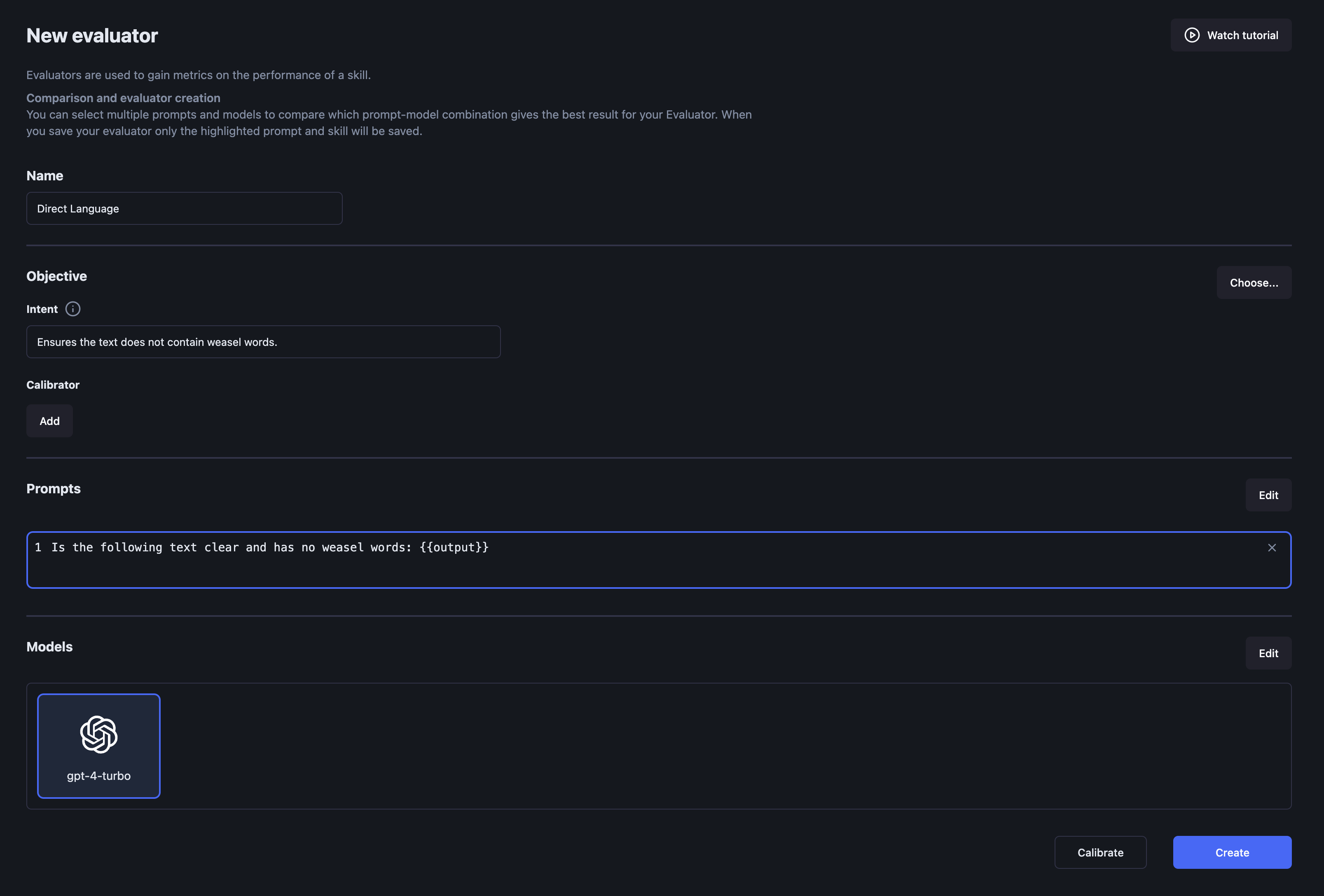
1. **Navigate to the Evaluator Page:**
* Go to the evaluator page and click on "New Evaluator."
2. **Name Your Evaluator:**
* Type the name for the evaluator, for example, "Direct language."
3. **Define the Intent:**
* Give the evaluator an intent, such as "Ensures the text does not contain weasel words."
4. **Create the Prompt:**
* "Is the following text clear and has no weasel words"
5. **Add a placeholder (variable) for the text to evaluate:**
* Click on the "Add Variable" button to add a placeholder for the text to evaluate.
* E.g., "Is the following text clear and has no weasel words: {{response}}"
6. **Select the Model:**
* Choose the model, such as **gpt-4-turbo**, for this evaluation.
7. **Save and Test the Evaluator:**
* Click **Create evaluator** and [begin experimenting with it](https://docs.scorable.ai/usage/cookbooks/evaluate-an-llm-response).
### Improve the custom evaluator performance
You can add demonstrations to the evaluator to tune its scores to match more closely to the desired behavior.
#### Example: Improve the Weasel words evaluator
Let's penalize using the word "probably"
1. **Go to the Weasel words evaluator and click Edit**
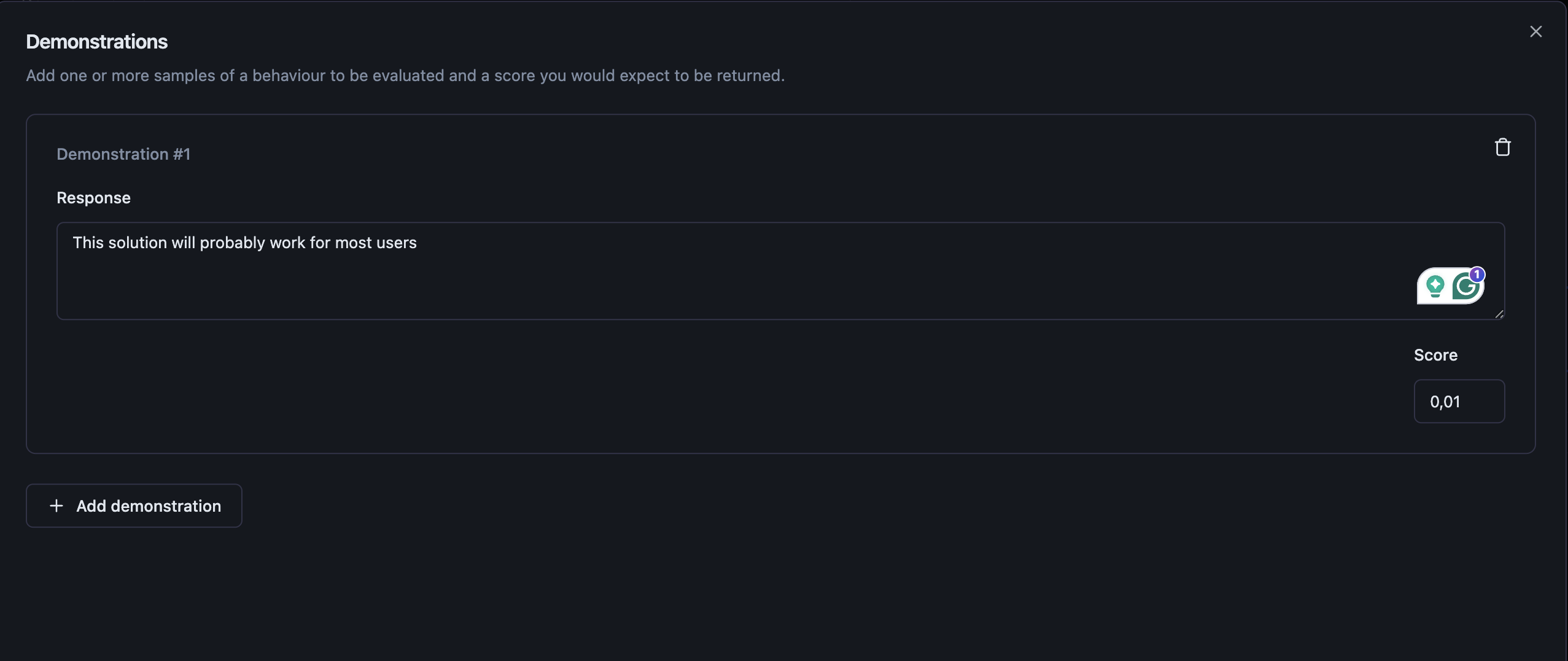
2. **Click Add under Demonstrations section**
3. **Add a demonstration**
* Type to the Response field: "This solution will probably work for most users."
* Score: 0,1
4. **Save the evaluator and try it out**
Note that adding more demonstrations, such as
* "The project will probably be completed on time."
* "We probably won't need to make any major changes."
* "He probably knows the answer to your question."
* "There will probably be a meeting tomorrow."
* "It will probably rain later today."
will further adjust the evaluator's behavior. Refer to the full evaluator [documentation](https://docs.scorable.ai/usage/usage/evaluators) for more information.
Once you have demonstrations tuned, the next step is verifying the evaluator is actually reliable. See [Add a calibration set](https://docs.scorable.ai/usage/cookbooks/add-a-custom-evaluator/add-a-calibration-set) — including how to use the **ladder algorithm** to generate calibration examples automatically instead of hand-crafting them.\\